
Coloring and Drawing For Kids
Toy Tap LLPEducational
4.750.00 Reviews
- Version
- 4.4.1
- Installs
- 10.00M
- Age Rating
- Everyone
Screenshots
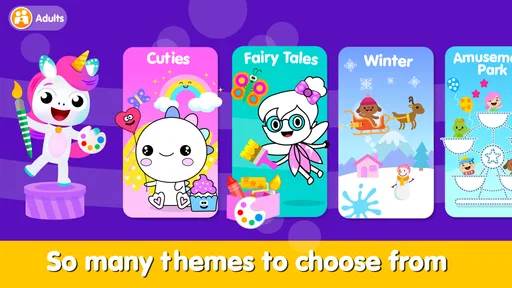



Our Review of Coloring and Drawing For Kids
 Analysis by Appyee
Coloring and Drawing For Kids is the kind of educational game I would hand to a child who wants to make something immediately, without first learning a complicated interface. I tested it as a simple creative activity rather than as a traditional game with levels, competition, or a long story, and that distinction matters. Its appeal comes from the quick movement between choosing a drawing, adding color, and seeing a finished picture take shape.
The game is free to download, aimed at Everyone, and made by Toy Tap LLP. It belongs to the educational category, but I would describe its learning value in practical terms: it encourages visual choices, hand control, attention, and creative confidence. It is not trying to teach reading, mathematics, or a formal art technique. Instead, it gives children a low-pressure space to experiment with drawing and coloring.
That straightforward purpose is also its main strength. A child does not need to understand a complicated reward structure before enjoying it. At the same time, adults should know what they are getting: this is primarily an open-ended coloring experience, not a deep progression game. The early goals are clear, while the longer-term motivation depends heavily on whether the child enjoys making pictures for its own sake.
How the first few minutes establish the game’s goals
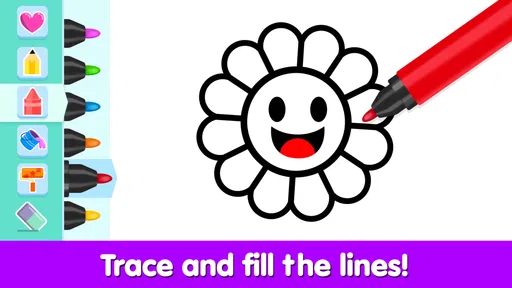
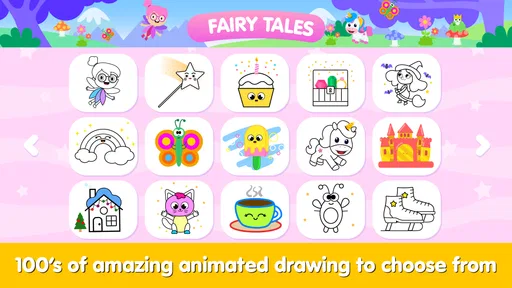
The opening experience is easy to understand. The child’s immediate objective is to create an image, and the controls are built around that action rather than around instructions or lengthy explanations. I found this useful for younger players because the first success arrives quickly: select a picture, choose a color, and begin touching the screen.
That quick start creates a gentle form of challenge. The player is not asked to beat a timer or defeat an opponent. The challenge is deciding where a color belongs, how much of the picture to complete, and whether to follow familiar colors or invent something unusual. For a child, those small decisions can be enough to make the activity feel personal.
The game’s early goals work best when an adult frames them as creative prompts. Instead of asking a child to “finish the level,” I would suggest choosing a favorite picture, coloring it in an unexpected way, or making a scene that matches a story. This turns a basic touch activity into a short imaginative exercise without requiring extra tools.
One useful everyday scenario is a quiet transition after school. If a child needs something calmer while dinner is being prepared, a short coloring session can provide a clear beginning and end. I would let the child choose one picture and decide when it feels complete, rather than leaving the game open indefinitely. That keeps the activity purposeful and avoids turning screen time into passive scrolling.
The first goal is therefore not mastery. It is comfort. Children learn where to touch, how the colors respond, and how their choices change the picture. That low barrier is more valuable here than a complex tutorial would be.
What counts as progress when there are no traditional levels
Coloring and Drawing For Kids communicates progress mainly through the visible result. A blank or partly colored image becomes a finished creation, and that transformation is easy for a child to understand. There is no need to explain experience points or complicated objectives for the player to feel that something has been accomplished.
I see this as a good fit for children who respond better to immediate feedback than to delayed rewards. The progress signal is right on the canvas: a new area has color, a detail stands out, or the whole image now feels complete. That makes the game accessible even for a child who cannot yet read confidently.
The trade-off is that visual completion can lose its novelty. Once a child has colored several pictures, the basic reward may not feel as exciting unless the child is naturally interested in drawing. Parents looking for a strong sequence of goals should keep expectations realistic. The game encourages making pictures, but it does not replace a structured curriculum or a project-based art app.
I also found that the finished image can become a useful conversation starter. Asking why a child chose a certain color or what the picture represents adds an offline layer that the game itself does not need to provide. This is one of the better ways to extend the value of a short session: the screen activity becomes the beginning of a creative discussion rather than the entire experience.
For younger children, I would avoid correcting their color choices. The point is not to reproduce a model perfectly. If a tree becomes purple or an animal gets several bright colors, that is evidence of ownership, not failure. The game’s simple format leaves room for that freedom, and adults can protect it by treating completion as a personal achievement.
Difficulty stays gentle, which helps beginners but limits challenge
The difficulty curve is deliberately soft. There is no obvious pressure to improve speed or accuracy, so a beginner can explore without feeling punished for tapping in the wrong place. That makes the game suitable for children who are still developing fine motor control or who become frustrated by games that demand fast reactions.
In my experience, the challenge comes from precision and patience rather than from rules. Small spaces can encourage careful movement, while larger areas let a child work quickly and confidently. This creates a natural difference between easy and more demanding moments, even when the game does not present them as formal difficulty settings.
That gentle curve is helpful for a first coloring app, but it may feel too mild for older children who want a clear test of skill. A child who enjoys puzzles, timed tasks, or increasingly complex drawing tools may outgrow the experience sooner. In that situation, a more advanced digital art application or a game with explicit stages would probably be a better choice.
There is also a practical advantage to the lack of harsh failure. A child can stop midway and return later without feeling that a mistake ruined the session. For families using the game in short bursts, that matters. It works well as a five-minute activity, a calm break, or a longer creative session when the child remains engaged.
My main tip is to treat the difficulty as adjustable through the child’s own choices. Start with broad, uncomplicated pictures, then encourage more careful coloring once the controls feel familiar. Adults can also invite the child to add a personal rule, such as using only warm colors or creating a nighttime version. Those self-made constraints provide extra challenge without pretending the game has a deeper competitive system.
Unlocks and retention: enough to return, not enough to force a routine
The question of retention is important because coloring games can be enjoyable once and then forgotten. Here, the strongest reason to return is the opportunity to make another picture, not a demanding reward loop. That is a healthy approach for a children’s activity, but it means continued interest depends on the variety of creative choices and the child’s own imagination.
I would not describe the game as aggressively pushing the player to continue. Its pacing feels better suited to self-directed sessions than to endless play. A child can create something, show it to an adult, and put the device down. For parents who want a calmer app, that is preferable to a design that constantly demands another round.
At the same time, the free version may include reasons to consider optional purchases, with in-app items priced at $2.99 each. I would make that decision with the child’s actual use in mind rather than buying immediately. If the available creative material already keeps the child interested, there is no reason to add cost. If a child repeatedly returns and wants more ways to draw, an individual purchase may be easier to evaluate than committing blindly to a larger package.
This is also where adult supervision is useful. Children may not understand that an attractive extra is connected to a purchase, so I would review the device’s purchase controls before handing it over. The game is free to start, but “free” does not mean every piece of content or every option costs nothing.
The retention pressure is therefore moderate and mostly creative. The game does not need a dramatic narrative to bring a child back, but it also cannot guarantee long-term engagement for every player. Its best audience is a child who enjoys repeating a familiar activity with different visual results. A child motivated only by unlocking characters, collecting prizes, or beating scores may find the return loop too light.
How it compares with paper, basic drawing tools, and larger art apps
Compared with paper and crayons, this game is cleaner and easier to start. There is no preparation, no spilled water, and no need to find the right coloring book page. It is especially convenient during travel or in a small space. Paper still wins for tactile feedback, unrestricted marks, and the sense of physically keeping a drawing, so I see the app as a supplement rather than a replacement.
Compared with a blank digital drawing canvas, the coloring format gives younger children more structure. They can focus on selecting colors and filling an existing image instead of facing an intimidating empty screen. The downside is that a guided picture can limit spontaneous drawing if the child wants to create completely from scratch.
Compared with a more advanced art app, this game is easier to navigate but less suitable for deliberate skill building. An older child learning layers, brushes, shapes, or detailed editing will probably gain more from a dedicated drawing tool. The advantage here is that the child can begin independently, without needing an adult to explain a professional-looking interface.
That makes the choice fairly simple. Pick this game for accessible coloring, short creative sessions, and a gentle first step into digital drawing. Choose paper for hands-on art, a blank canvas for unrestricted invention, or a more advanced app for technique and control. The right option depends less on the device and more on what the child wants to do.
Practical details parents should consider before installing
The game is available for devices running Android 7.0 or later, and its current version is 4.4.1. It has reached over ten million installs and holds a 4.7 average from around 6.1 thousand ratings, which suggests that many families find the basic experience appealing. I treat those figures as context rather than a guarantee, because a child’s age, patience, and creative interests will determine whether it fits.
It was released on October 20, 2023, and the age classification is Everyone. That makes it appropriate to consider for a broad family audience, though an age label does not replace normal supervision. I would still check how the child uses the device, especially around optional purchases and general screen-time limits.
The game’s free entry is useful for testing compatibility with a child’s interests. Before paying for any optional item, I would watch one or two sessions and ask a practical question: is the child returning to create, or only tapping because the phone is available? That distinction helps avoid spending money on content that will not be used.
Another small but important workflow is to establish a stopping point before the session begins. “One picture, then we pause” is clearer than waiting for the child to lose interest. Because the activity is easy to resume, stopping does not feel like abandoning a long campaign. This suits households that want predictable routines.
Who will enjoy it, and who should choose something else
I recommend Coloring and Drawing For Kids to preschool and early elementary children who enjoy bright visual activities, like making choices, and need a forgiving introduction to digital creativity. It is also useful for a child who becomes discouraged by games with failure states. The simple goals let the child feel successful without competing against anyone.
It can work well for siblings at different skill levels because one child can color broadly while another spends more time on details. An adult can turn a shared session into a prompt-based activity: create a picture for a birthday card, choose colors for a pretend season, or explain a story through the finished drawing. These uses give the game more depth than simply filling spaces.
I would skip it if the main requirement is formal learning content. Although it is educational in the broad sense, it is not a substitute for an app focused on letters, numbers, language practice, or guided art lessons. I would also look elsewhere for a child who wants freehand drawing, sophisticated tools, or a pronounced challenge curve.
Older children may enjoy it briefly, especially when they want something relaxing, but they may not find enough progression to stay interested. The absence of stronger goals is not a flaw for its intended beginner audience; it becomes a limitation when the player expects a full game structure.
My progression verdict after using it as a daily creative activity
Coloring and Drawing For Kids handles early goals and pacing well because it does not overcomplicate a simple idea. The player understands what to do almost immediately, sees progress directly on the image, and can stop without losing meaningful progress. Its difficulty is gentle, its retention pressure is relatively light, and its optional purchases are best approached carefully rather than assumed to be necessary.
The progression is strongest as a sequence of personal creations, not as a ladder of increasingly demanding game challenges. That makes it a good fit for calm, short sessions and for children building confidence with touch controls. It is less convincing for players who need unlocks, measurable mastery, or a reason to keep playing after the novelty of coloring fades.
My honest recommendation is to try the free experience with a clear purpose. Use it for a quiet creative break, a conversation starter, or a first digital coloring activity. If the child repeatedly returns to make pictures, the game has earned a place in the routine. If the child asks for more freedom or more challenge, that is the signal to move toward paper, a blank drawing canvas, or a deeper art app.
The best reason to choose this game is its low-pressure path from a blank picture to a creation the child can call their own. Toy Tap LLP keeps the concept approachable, and the result is a friendly educational game that succeeds when expectations stay focused on creativity rather than complex progression.
Verdict
Strengths of Coloring and Drawing For Kids
- Simple tools make it easy for young children to start drawing.
- Bright colors and playful designs help keep kids engaged.
- Supports creativity without requiring reading or advanced skills.
- Suitable for quiet play at home or while traveling.
- Child-friendly interface is generally easy to navigate.
Limitations of Coloring and Drawing For Kids
- Some features or coloring packs may require in-app purchases.
- Limited tools may feel basic for older children.
- Ads can interrupt play in the free version.
- Requires a compatible device with enough storage space.
- Extended screen time may not be suitable for every child.
Other Releases by Toy Tap LLP
View All
Toddler Car Games For Kids 2-5
Educational4.7

Coloring and Drawing For Girls
Educational4.7

Kids Monster Truck Games 2+
Educational4.6

Mini Dress Up & Beauty Games
Casual4.6
Similar Picks in This Category
View All
Little Panda Policeman
BabyBus4.0

Monster Trucks Game for Kids 2
Raz Games4.1

Little Panda's Chinese Recipes
BabyBus4.4

Little Panda's Restaurant
BabyBus4.4

Little Panda's Ice Cream Games
BabyBus4.3

Baby Panda Care
BabyBus3.8
Frequently Asked Questions
What is Coloring and Drawing For Kids?
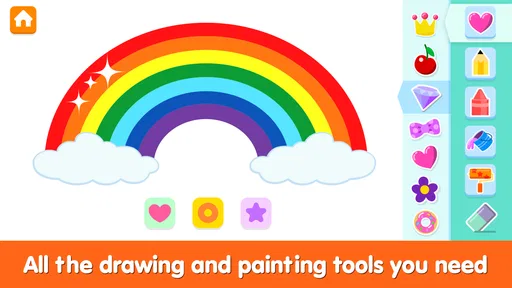
Coloring and Drawing For Kids is a child-friendly creative app designed to let young users color pictures, draw freely, and experiment with simple artistic tools. After exploring it, we found the interface easy to understand, with large buttons and accessible controls. It is aimed mainly at preschool and early-school children who enjoy creative activities without complicated menus or advanced drawing features.
Is Coloring and Drawing For Kids suitable for young children?
The app is generally suitable for young children because its controls are simple, colorful, and easy to recognize. Children can select an image, choose colors, and begin drawing with minimal assistance. Parents should still review the app’s age rating, advertising settings, and available content before downloading, since suitability may vary depending on the child’s age and the version installed on Android or iOS.
Does the app require an internet connection?
Many of the basic coloring and drawing activities can usually be accessed without a continuous internet connection, which makes the app convenient for travel or offline play. However, an internet connection may be needed for downloading the application, loading additional content, displaying advertisements, or using certain optional features. We recommend opening it once online before giving it to a child offline.
Is Coloring and Drawing For Kids free to download and use?
The application may be available as a free download, but users should check the current store listing because pricing, advertisements, and optional purchases can change between versions. Free access may include the main coloring tools while extra pictures or features could be restricted. Parents should also review in-app purchase settings and use device-level purchase protections to avoid accidental transactions.
Does Coloring and Drawing For Kids contain advertisements or in-app purchases?
Depending on the version and platform, Coloring and Drawing For Kids may include advertisements, optional paid content, or other in-app purchase features. This is particularly important when children use the app independently. Before allowing unsupervised play, parents should inspect the store description, configure parental controls, and test the app themselves so they understand which areas may open advertisements or purchase prompts.
Play our best games!


